
From the Copilot key to Codex Micro, four AI keypads compared
Keychron's $34.99 Vibe Coding Keypad, Logitech's MX Keypad and AI Edition mouse, and OpenAI's Codex Micro all sell an "AI button". Sorted by how deeply the button is wired into the software, they are three different products.
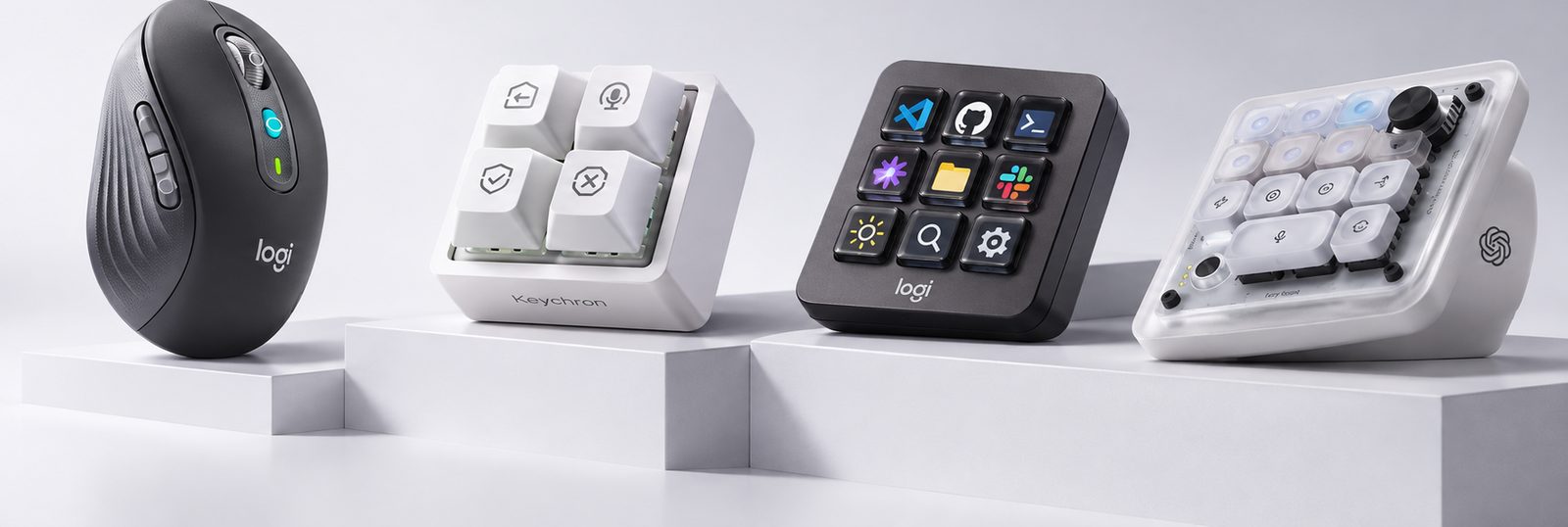
Keychron has put a four-key magnetic-switch keypad on sale for $34.99. The model name is F4 HE 8K; the name on the box is Vibe Coding Keypad. It is not pitched as a numpad or a general macro pad but as a set of keys for AI coding tools such as Claude and Codex.
An "AI button" is not new. Microsoft put a Copilot key on Windows keyboards in January 2024, AI buttons then turned up on mice, and this year OpenAI and Logitech both shipped keypads for AI coding. Put the products next to each other, though, and the same two words cover quite different jobs.
Sorting them by how the hardware is connected to the software gives three groups. The split is not about features or performance. It is about how deep the connection goes.
- Shortcut launchers. Pressing the button sends a fixed key combination and an AI app opens. The Copilot key, Logitech's Signature AI Edition mouse and the Keychron F4 in its default setup belong here.
- Application-integrated. The button talks to the AI tool through a plugin or companion software. Logitech's MX Keypad, which integrates with GitHub Copilot, is the clearest example.
- Agent status feedback. What the AI agent is doing right now comes back to the hardware. Codex Micro is the only one of the four that does this.
1. Where it started: the Copilot key and Logitech's AI mouse, 2024
On 4 January 2024 Microsoft announced a dedicated Copilot key for Windows 11 PCs and called it the biggest change to the Windows keyboard in nearly thirty years. Most Windows laptops released since carry the key.
Logitech followed in April with the Signature AI Edition mouse at $49.99. One button opens Logitech's AI Prompt Builder, another opens ChatGPT.
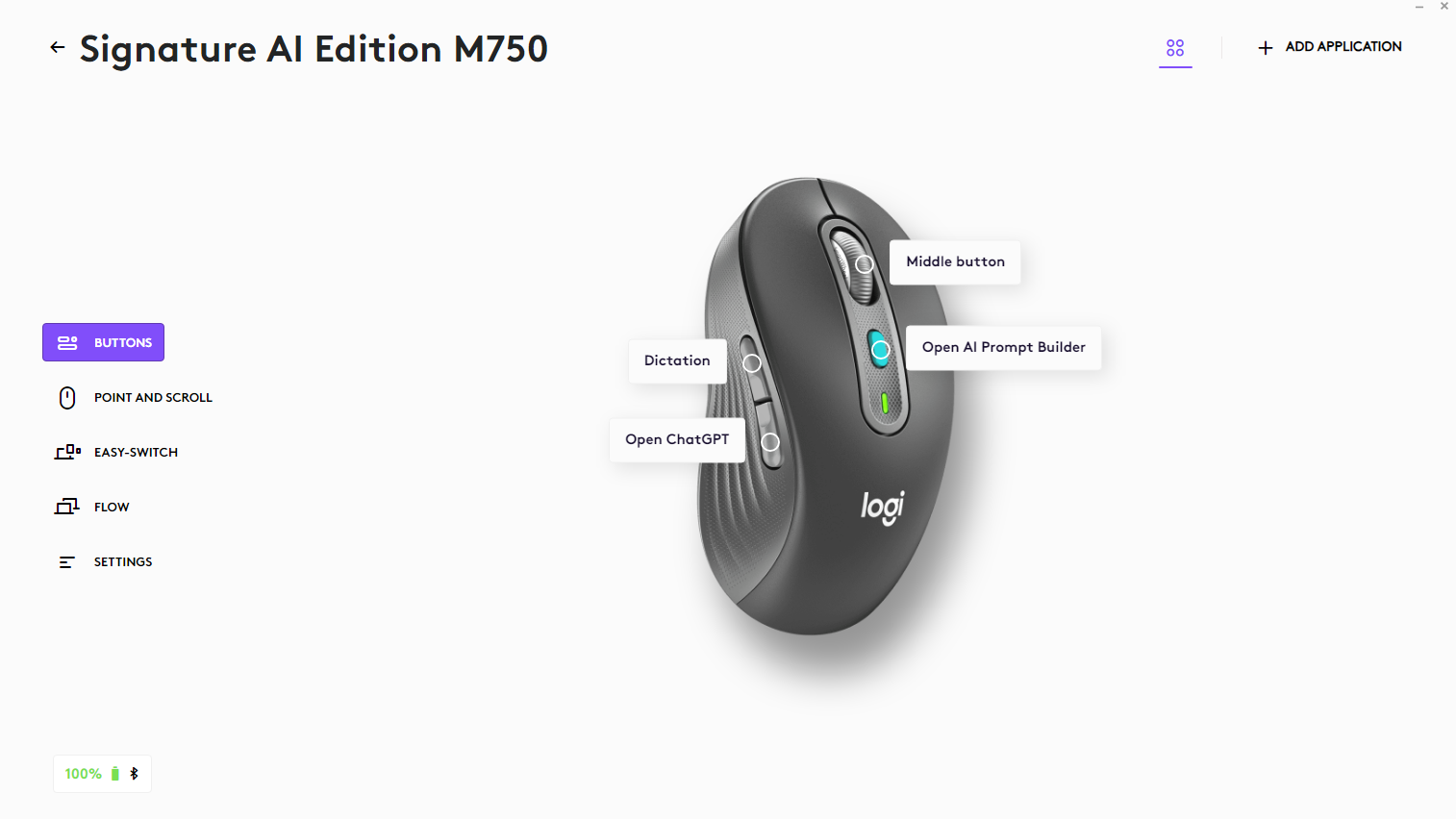
Both products' AI buttons do one thing: open an AI window. They move a shortcut that already existed onto a physical key. That is the first group, shortcut launchers.
2. Keychron F4 HE 8K Vibe Coding Keypad, $34.99
Four keys, magnetic switches, 8,000 Hz polling, Claude and Codex presets.
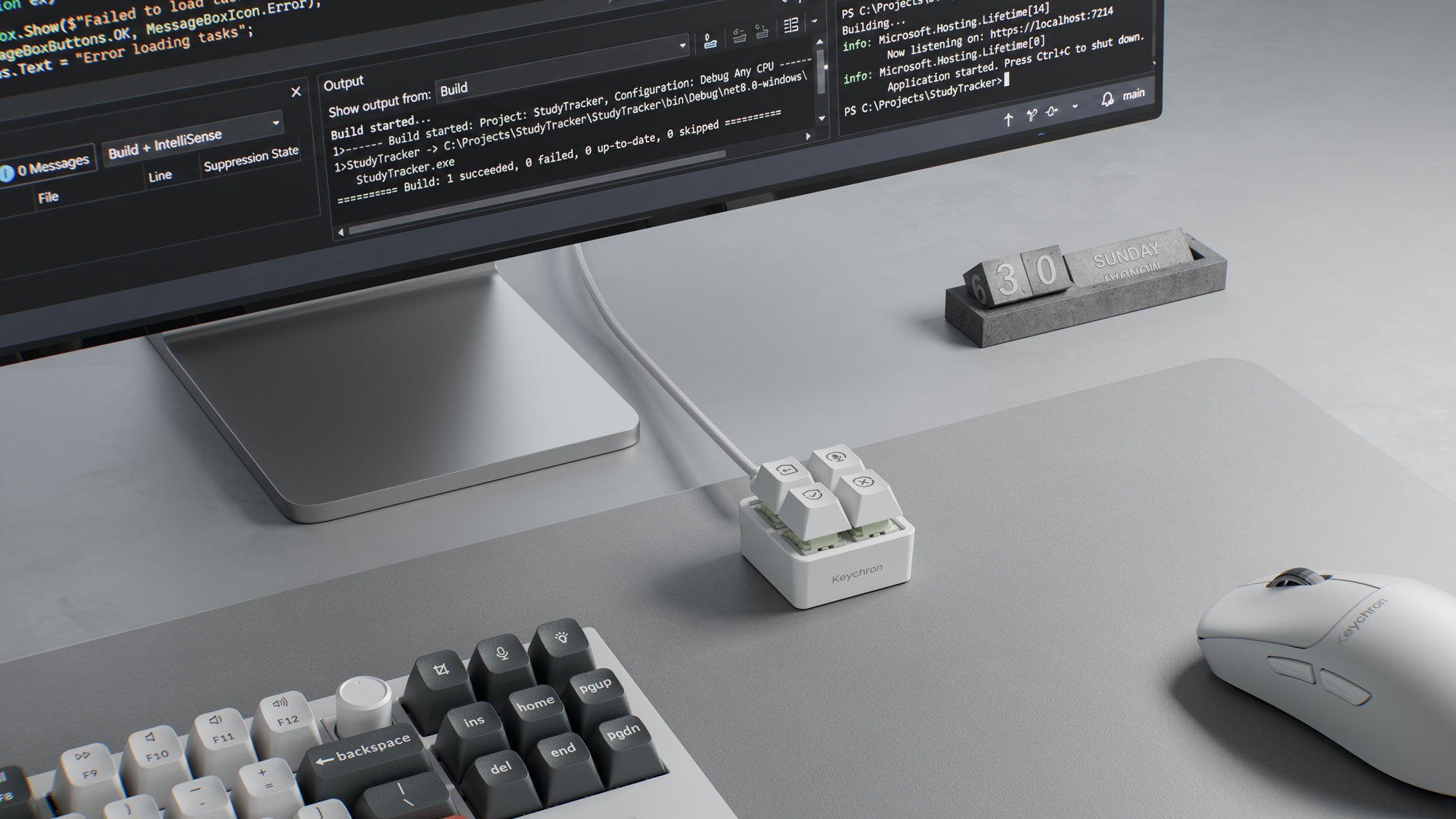
- Keys. Four, on Keychron Ultra-Fast Lime magnetic switches, hot-swappable.
- Actuation. Adjustable from 0.2 to 3.3 mm in 0.1 mm steps. Dynamic keystroke (DKS) lets one key fire up to four actions at different press depths.
- Connection. Wired USB-C only, up to 8,000 Hz polling. Keychron says 8K polling needs a cable rated for it, and that an ordinary cable will cap the rate. No cable is included.
- Keycaps. Dye-sublimated PBT with per-key RGB. There are fifteen icon keycap designs, eleven of them included as spares.
- Size. 44.94 × 44.94 × 34.37 mm, in black or white.
- OS. macOS, Windows, Linux.
Software. Configuration is in the browser-based Keychron Launcher. There are Codex and Claude presets, and both include a voice-input key. You can also describe what you want in plain language and have an AI write the key assignments for you. Settings are stored in the keypad's own memory, so they travel to another computer. What is stored is keystrokes, however, so the AI app that receives those keystrokes has to be installed on that computer too. Keychron gave 9 November as the Launcher's release date, but the product page still carries a beta notice.
What it is for, and what it is not. Keychron's examples are opening a new conversation, voice input, asking for a code review, and accepting or rejecting a suggestion. There is no microphone on the keypad; voice input uses the computer's. The key colours are RGB you set in advance. Nothing in the documentation says they follow the AI's live state, such as working or waiting for input.
Assessment. Set the AI branding aside and the F4 HE 8K is a small macro pad that gets you adjustable actuation and DKS on magnetic switches for under $35. The 8,000 Hz polling, which does nothing for AI work, shows where the product came from: gaming keyboard technology.
3. Logitech MX Keypad, $99.99
Nine LCD keys, developed with GitHub.
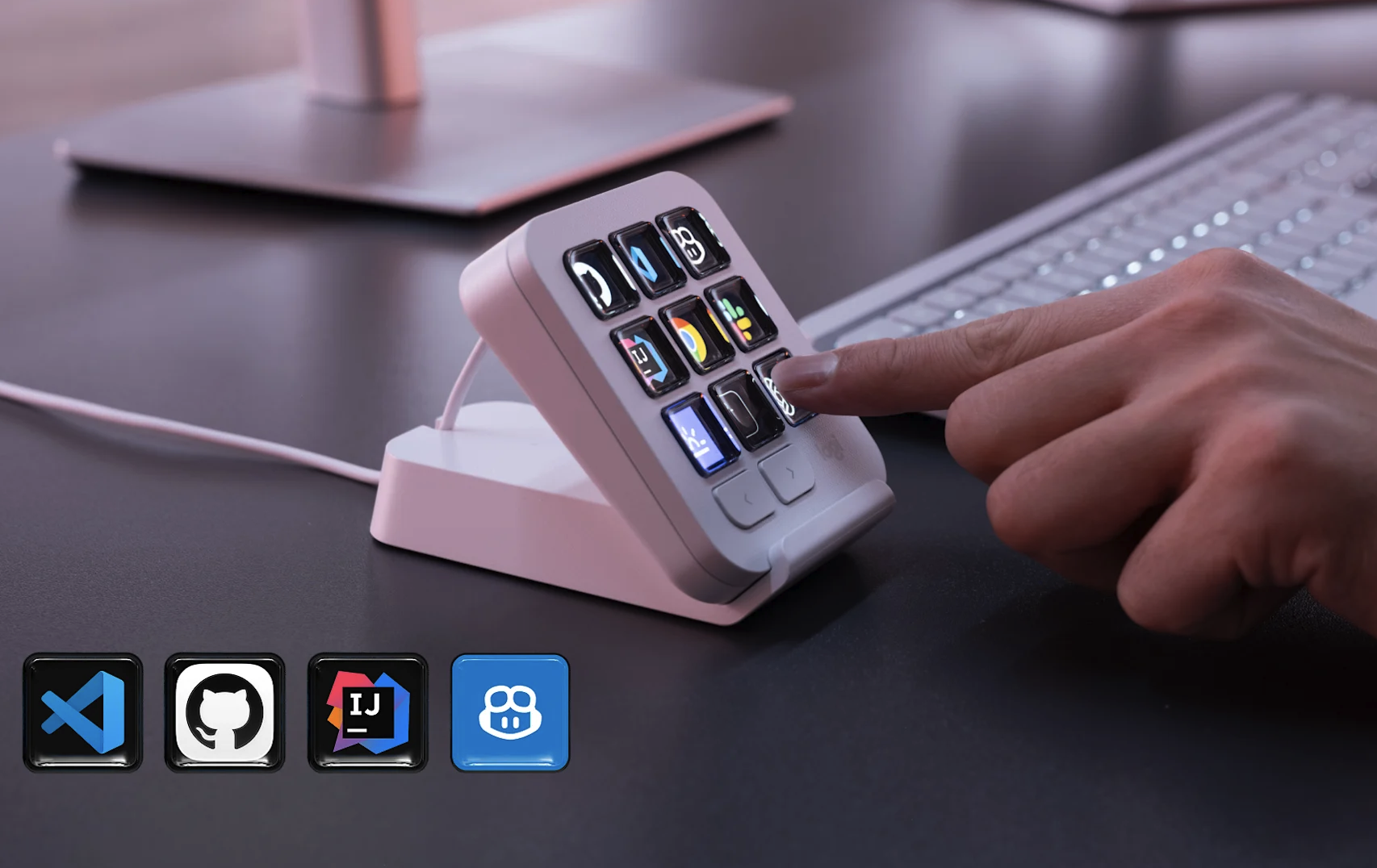
Logitech released the MX Keypad on 8 September at $99.99. It is the keypad half of the MX Creative Console ($199.99) sold on its own, without the dial.
- Keys. Nine full-colour LCD keys, with two page buttons for up to fifteen pages.
- Per-app switching. According to 9to5Mac the key layout changes automatically when you switch applications. In practice this matters more than the key count.
- Connection and OS. USB-C; macOS 13 or later, Windows 10 or later. About 3.6 × 3.1 inches, 96 g.
- AI integration. Developed with GitHub, it integrates with GitHub Copilot in VS Code. Community plugins exist for Claude Code and OpenAI Codex. 9to5Mac describes them as supporting agent status tracking and terminal control, but how that status appears on the LCD keys has not been shown.
- Bundle. Three months of Copilot Pro+ through Logi Options+, for new and existing subscribers alike, per 9to5Mac.
- SDK. Logi Actions SDK for C# and Node.js.
Because the key faces are screens, you do not swap keycaps when you change tools. This is the representative product of the second group, application-integrated, and depending on the plugin it can reach toward the third.
4. OpenAI × Work Louder Codex Micro, $230
A keypad that shows the agent's state.
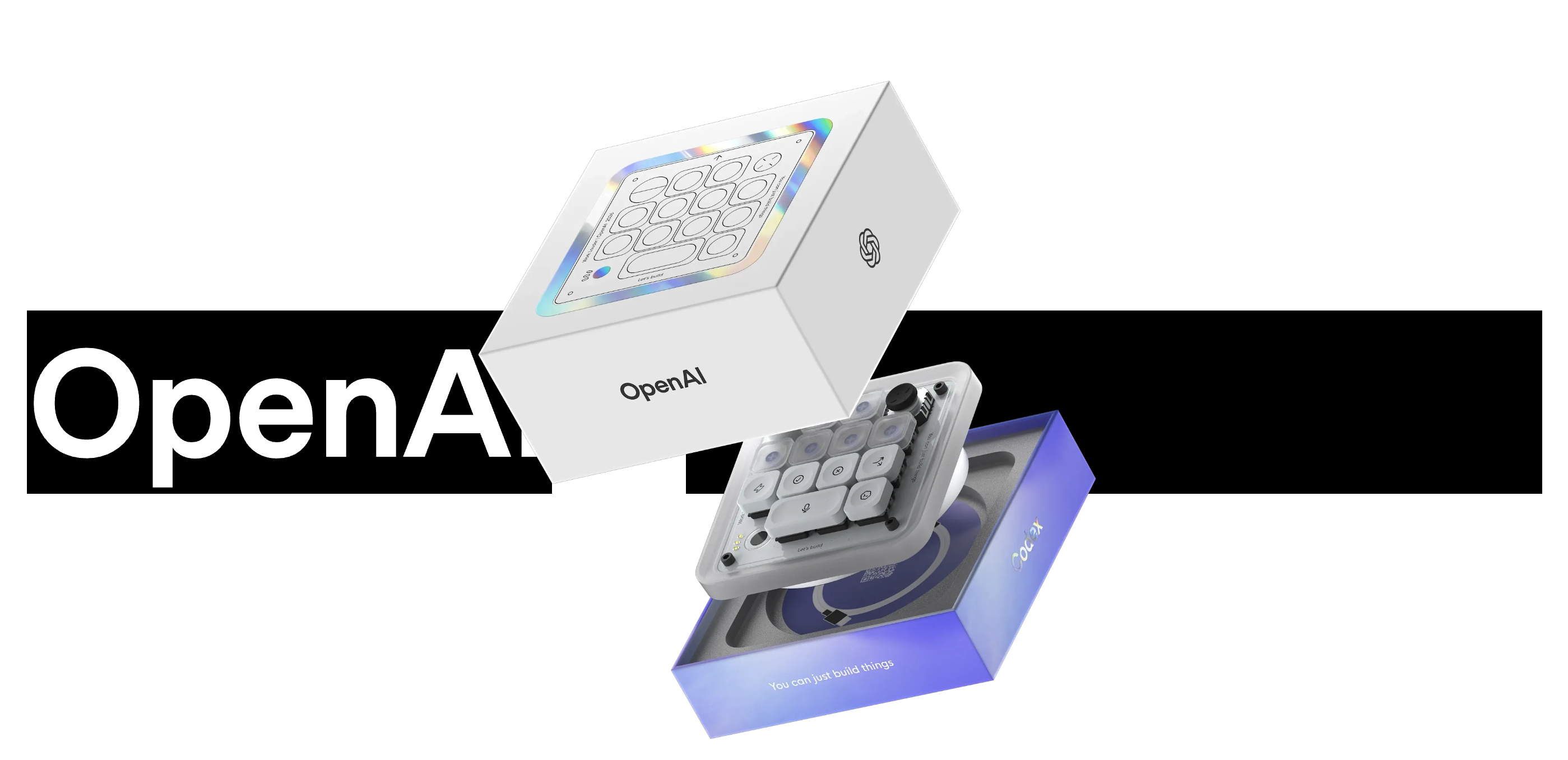
Codex Micro is a limited-run agent-control keypad that OpenAI made with the custom keyboard brand Work Louder and released in July at $230. Several outlets called it OpenAI's first hardware product; OpenAI itself did not describe it that way. New Atlas and Fortune reported that it sold out within a day. Current stock is unknown.
The main specifications from the official OpenAI Supply page:
- Inputs. Thirteen low-profile mechanical keys, a rotary dial, a joystick and a capacitive touch strip.
- Agent keys. Six translucent keys lit in RGB show each agent's state: idle, working, waiting for feedback, error.
- Command keys. Accept, reject, push-to-talk, new conversation and so on.
- Joystick. Runs workflows such as PR review, debugging and refactoring.
- Dial. Adjusts Codex's reasoning level.
- Connection and OS. Bluetooth and USB-C; macOS and Windows. A USB-C cable is included.
- Software. ChatGPT Codex and Work Louder Input.
It is the only one of the four where the hardware receives the agent's execution state and displays it. Keychron's RGB tells you what a key does ("this is the accept key"). Codex Micro's RGB tells you what the agent is doing ("it is waiting for your answer").
Side by side
| Logitech Signature AI Edition | Keychron F4 HE 8K | Logitech MX Keypad | OpenAI × Work Louder Codex Micro | |
|---|---|---|---|---|
| Group | ① Shortcut launcher | ① Shortcut launcher | ② Application-integrated | ③ Agent status feedback |
| Form | Mouse | 4-key keypad | 9-key LCD keypad | 13 keys + dial and joystick |
| Released | April 2024 | November 2026 | September 2026 | July 2026 |
| Price | $49.99 | $34.99 | $99.99 | $230 |
| Input | Mouse buttons | Magnetic switches (0.2–3.3 mm, DKS) | LCD keys | Low-profile mechanical |
| Connection | Wireless | USB-C wired (cable not included) | USB-C | Bluetooth / USB-C |
| Display | None | Key colour (user-set) | Per-key LCD icons and profiles | Six agent-status RGB keys |
| Live AI state | No | Not documented | Plugin-dependent (display not shown) | Official |
| Where settings live | Logi Options+ | On-board memory | Logi Options+ | Work Louder Input |
| Target AI | ChatGPT, Logi AI Prompt Builder | Claude and Codex presets | GitHub Copilot (+ Claude Code and Codex plugins) | Codex |
| Availability | — | On sale (some colours back-ordered) | On sale | Reported sold out at launch |
Four things worth weighing
1. Do magnetic switches and 8K polling help AI coding? 8,000 Hz polling means an input report every 0.125 ms, about 0.875 ms sooner than 1,000 Hz. Against an AI response that takes seconds or minutes, the difference does not exist. DKS is a different matter. Splitting commands by press depth partly makes up for having only four keys. But when the key approves or rejects a code change, not mis-pressing matters more than pressing fast. A deep, deliberate actuation point may suit this better than the shallow one gaming favours.
2. Is an "approve" button only a convenience? When an agent edits files and runs code, accept is not a click but a judgement you are responsible for. A dedicated approve key is convenient in exactly the way that builds a habit of pressing it without reading the result.
3. What a macro pad can and cannot replace. Everything in the shortcut-launcher group can be done with an existing QMK or VIA keypad. One developer reproduced Codex Micro's push-to-talk and one-touch commands on a $28 DIY macro pad. As he noted himself, though, it has no per-key status lights. Agent status feedback is the one thing a keymap cannot give you.
4. The button is the small part. What separates these products is not key count or switch spec but how they connect to software. An older macro pad only carried the user's commands to the computer. The newer AI keypads try to carry the state of the computer's work back to the user. The device's job widens from pressing shortcuts to watching a task and stepping in.
Whether that justifies separate hardware is another question. The shortcut functions mostly already exist on the keyboard or macro pad you have. The value of AI-specific hardware comes down to what work information it shows you and how comfortably and safely it lets you intervene, more than to the buttons themselves.
Notes
- This is an English version of a KBDMania article by 4℃, published on the Korean site on 11 November 2026. The Korean original includes won conversions and a section on availability in Korea, which are left out here. Keychron and Logitech's MX line are widely sold in Korea, but no Korean release dates for the F4 HE 8K or the MX Keypad had been announced at the time of writing.
- Prices are the manufacturers' US list prices at launch. Product photos are from the manufacturers' press material; the cover illustration was generated with ChatGPT for the Korean article.
- The English text was drafted with AI assistance and checked against the linked sources before publishing, as described on the About page.
Sources
The announcements, product pages and reports this article draws on. The Korean original by 4℃ is linked first.
- AI를 부르던 버튼, 이제는 에이전트를 지켜본다… AI 키패드 4종 비교 (4℃, KBDMania, 2026-11-11, Korean original)
- Keychron F4 HE 8K Vibe Coding Keypad, official product page
- KitGuru, Keychron launches four-key keypad for AI assistants
- Yanko Design, 2026-11-06
- 9to5Mac, Logitech launches $99 MX Keypad, 2026-09-08
- Logitech MX Keypad, official product page
- OpenAI Supply × Work Louder, Codex Micro
- Techstrong.ai, 2026-07-16
- Ivan Morgillo, a $28 macro pad standing in for Codex Micro, 2026-07-29
- Windows Experience Blog, the Copilot key, 2024-01-04